
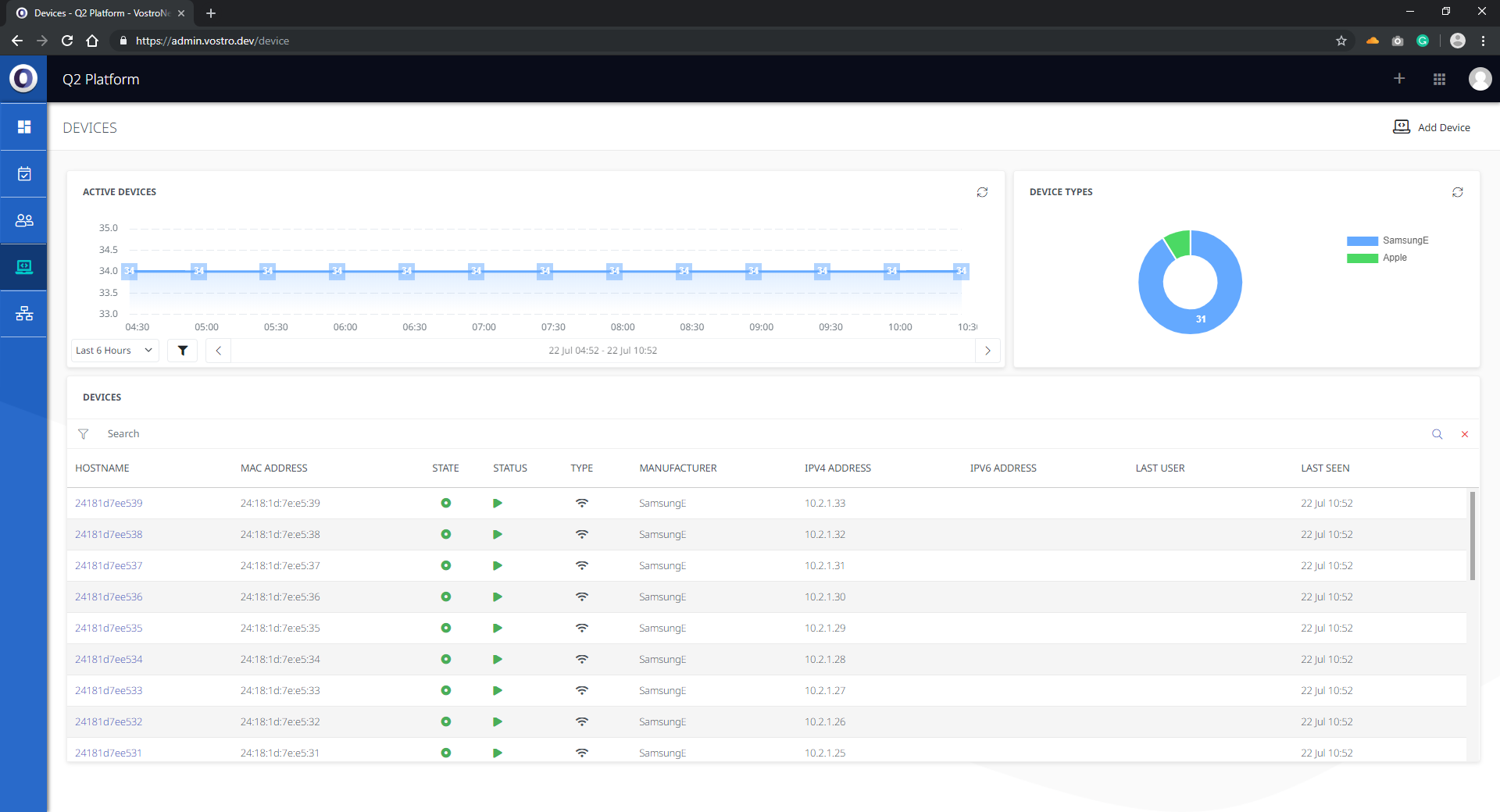
The Devices section is where a user can add new devices, monitor existing devices and review device KPIs. This section includes a list of every device on the network and provides more detailed information on devices such as device type and manufacturer.
The Active Devices panel provides a snapshot of the number of active devices over a period of time. The time period displayed can be adjusted by using the dropdowns and filters found at the bottom of the panel.
The Device Types panel provides information of the hardware composition of devices on the network (eg. Samsung, Apple).
Add Device
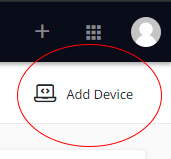
- Click Add Device in the top right-hand corner
- Add all MAC Addresses with a new line for each:
Example:AB:C1:23:DE:F4:56
AB:C1:23:DE:F4:97
AB:C1:23:DE:F4:74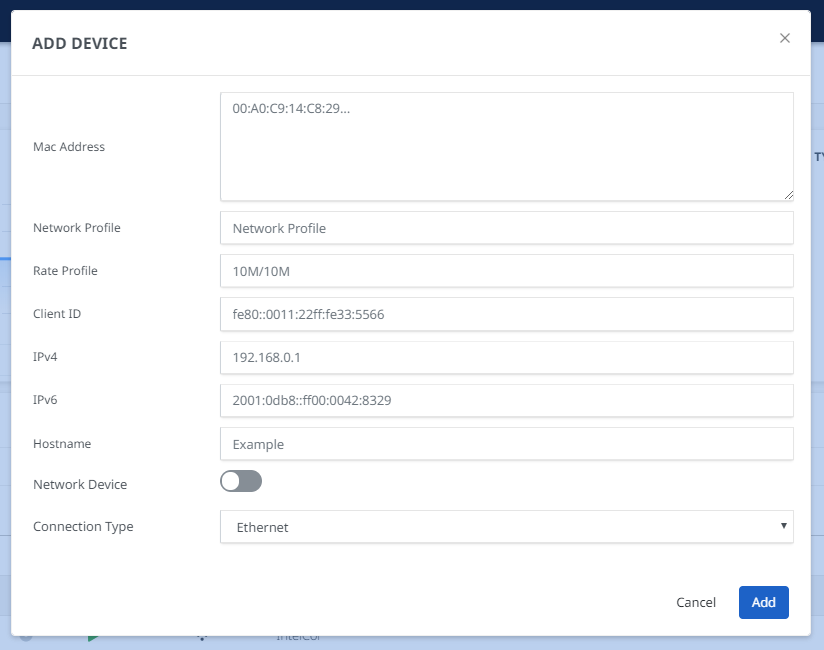
- Set network profile in the following format:
SITE-USER,SITE-AIR-0 - Set the Rate profile
- Client ID is the ID of the user it needs to be associated with.
- IPv4 & IPv6 Sections are optional and can be left on DHCP, this will pick up the network from the profile above.
- The hostname can be set however if the device replies with a Hostname it will be replaced with the one the device is sending out.
- Finally, add how the device is connected: wired, fibre and wireless.
Device Details
Each device that has been added can be drilled into to display additional information including:
Network Utilisation is the amount of data used over time.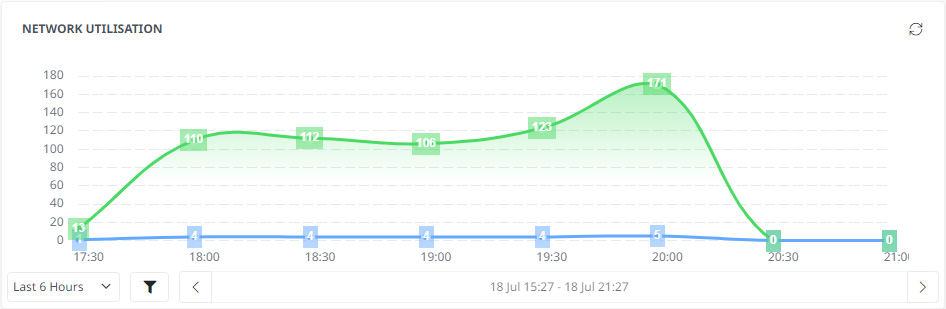
Logical Network displays the network device/s that the device is connected to.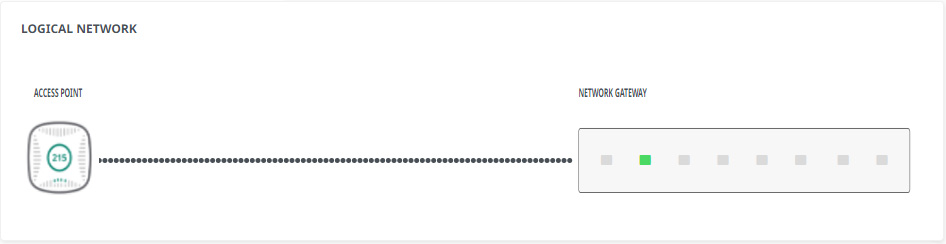
Wireless Network shows the device’s Throughput, Wireless Data Link and Wireless Physical Layer rates over a period of time.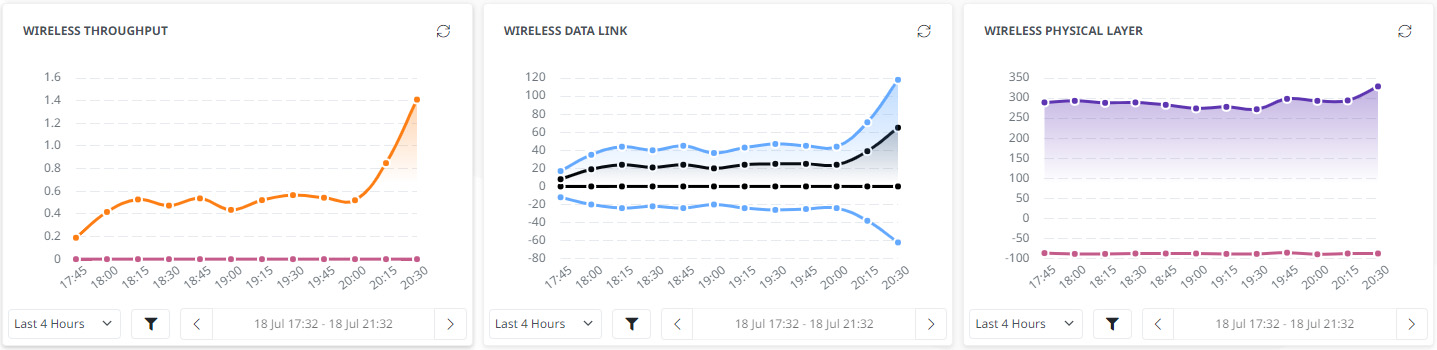
Authentication shows a record of previous authentication attempts on the network.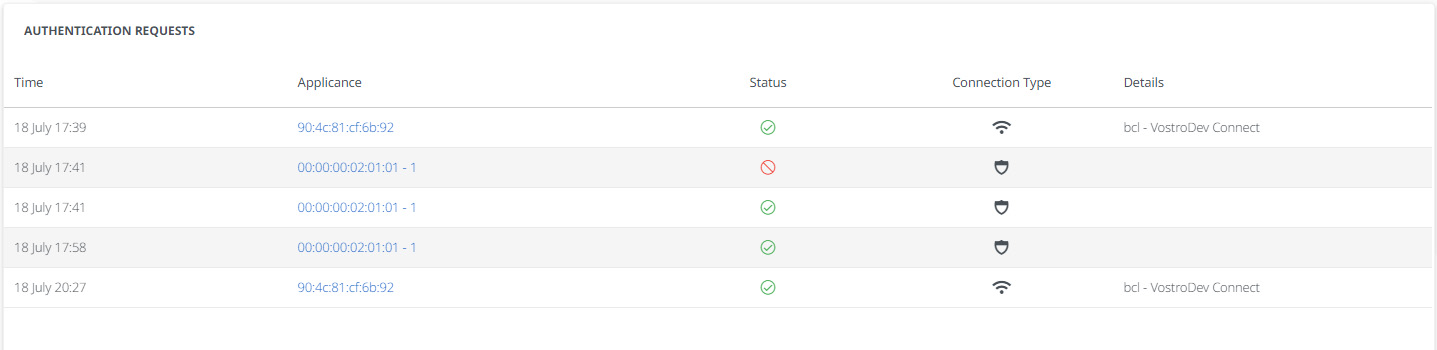
Accounting Sessions is where you find device data.